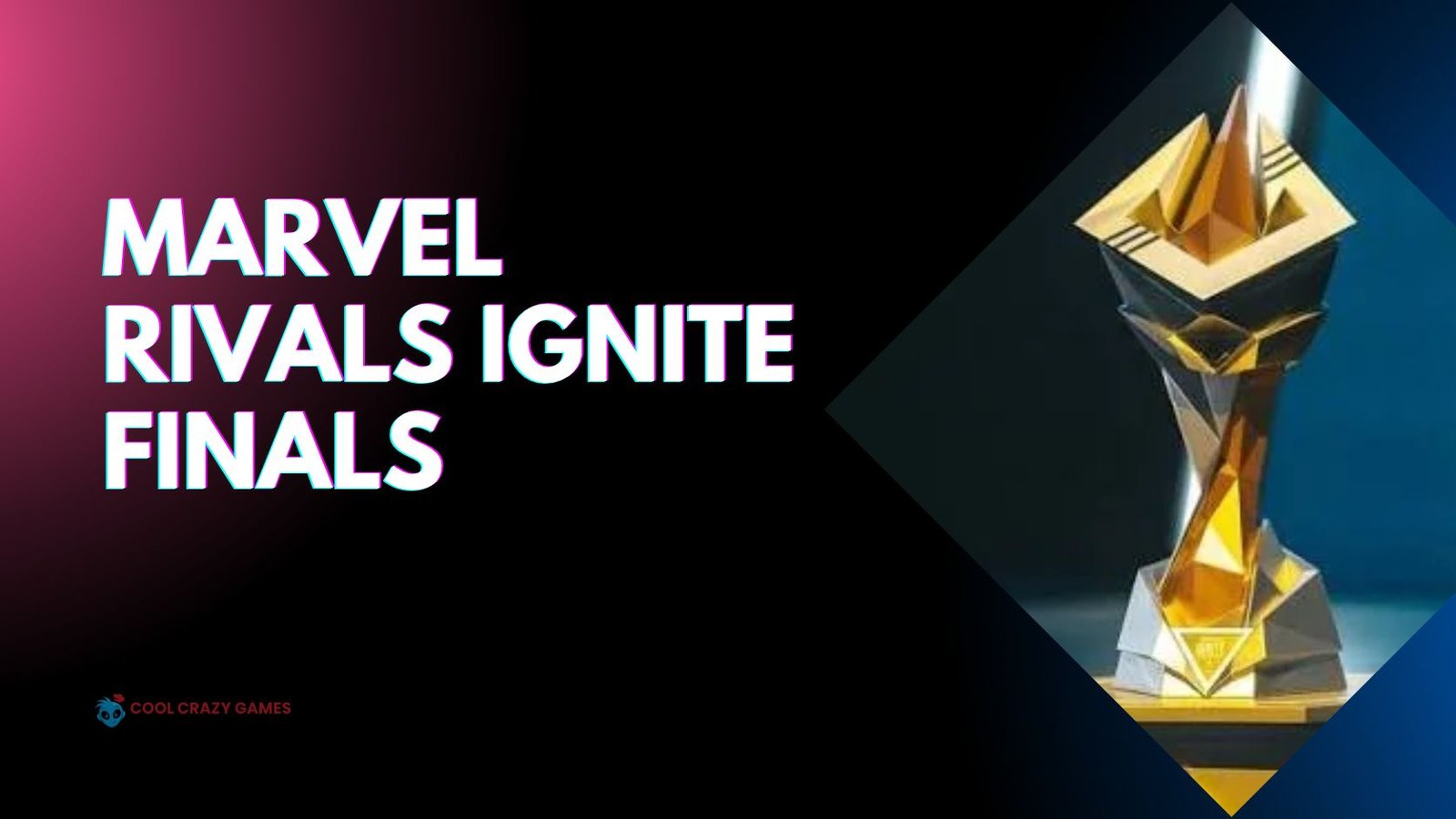
As well as free-to-own skins, free in-game currency is also a great addition. From 23 to 29th November, the IGNITE Grand Finals will be held in Stockholm and see together 12 elite teams in a battle for victory, as detailed in the Marvel Rivals Steam community blog post.
To coincide with the tournament, NetEase is hosting a special Twitch Drops promotion offering the IGNITE Black Widow (2026) skin, Units and IGNITE Grand Finals themed rewards. However, unlike some other Twitch Drops promotions, simply watching a stream will not automatically grant you these rewards. Should you wish to collect all the rewards in your Marvel Rivals locker ahead of the IGNITE Grand Finals finishing on November 29, please adhere to the below guide.
Marvel Rivals IGNITE Grand Finals Twitch Drops
Following the IGNITE Grand Finals blog post, there are three reward types which are available for claiming on Twitch during the 23-29th November period, in recognition of your viewing of the Stockholm Finals:
- IGNITE Black Widow (2026) Skin – the main skin reward for the IGNITE Grand Finals.
- Units – free in-game currency that can then be spent on in-game cosmetics.
- IGNITE Grand Finals themed rewards – profile and cosmetics which recognise the 12 team Stockholm Finals.
Generally, IGNITE Grand Finals themed rewards and Units are available to claim at lower viewing time thresholds. The IGNITE Black Widow (2026) skin is offered for viewing at the highest threshold.
During the event, a counter displaying the current time in hours and minutes will be visible on your Twitch Drops page within the All Campaigns tab.
Free Twitch Drops and esports viewing packages
It is important to recognise the difference between the free Twitch Drops and esports viewing packages.
Whilst tournaments are underway, many games will also offer for sale special viewing packages or team related merchandise in their in-game store. Crucially, the IGNITE Black Widow (2026) skin, Units and IGNITE Grand Finals themed Twitch rewards all come purely from free viewing time. There is no requirement to purchase a ticket, Twitch channel subscription or in-game goods in order to claim these.
Step 1 – Connect your Marvel Rivals and Twitch accounts
Unfortunately I have previously watched a tournament stream for 2 hours without realising that my Marvel Rivals and Twitch accounts were not linked. Avoid my error by connecting your accounts prior to viewing any streams:
- Go to the Marvel Rivals website and then open the Twitch Drops event page.
- Login with the same account you use to play Marvel Rivals (either Steam, PlayStation or Xbox). Confirm your in-game character information.
- Select the ‘Connect to Twitch’ button and authorise the connection when the Twitch login box appears.
- Refresh the page to confirm that your gaming account and Twitch name are recognised as being connected.
Step 2 – View appropriate Stockholm Finals streams
As 12 teams are participating in the Stockholm Finals between the 23rd and 29th of November, there are 7 days of streams to accumulate viewing time.
Ensure that you only watch streams with the DropsEnabled tag in their title in order to guarantee that your viewing time is recognised. Ideally, watch streams from the official Marvel Rivals Twitch channel or an official co-streamer who also has DropsEnabled for the IGNITE Grand Finals. Upon viewing an appropriate stream, a pop-up notification will appear at the top of your screen confirming that Twitch Drops are enabled for that stream.
Step 3 – Proactively claim your rewards prior to the event deadline
This is the most common error that people commit throughout tournament week. Twitch Drops do not automatically award themselves to you.
Simply leaving a stream on for your viewing progress to reach 100% will not result in the Black Widow skin being awarded to your Marvel Rivals game. You must actively claim your rewards in both Twitch and Marvel Rivals, before the IGNITE Grand Finals event deadline (November 29):
On Twitch – Within the top right-hand corner of your Twitch page, select the Profile menu. From here, select Drops & Rewards. Within the Inventory section, press the purple ‘Claim’ button for each claimed reward prior to the IGNITE Grand Finals event deadline (November 29). If you fail to claim a reward from Twitch Drops after the campaign has finished, you will forever lose out on it.
Within Marvel Rivals – Following your Twitch claim, start Marvel Rivals and navigate to your Mailbox (indicated by an envelope symbol at the top of the home screen). Open letters relating to your rewards and press ‘claim’ so that the Units, IGNITE Grand Finals themed rewards and IGNITE Black Widow (2026) skin can be transferred to your Marvel Rivals locker. Please note that in-game mail too has a time limit so it is best to claim your rewards without delay.
My advice for optimally accruing viewing time
Twitch can be sensitive to viewing behavior. To optimally accumulate viewing time for drops, I abide by these 3 guidelines when I watch streams in order to farm drops for a tournament:
Mute your browser, not the video – Occasionally, if you minimise your browser window, muting the volume control on the Twitch video will also cause your viewing time to stop. Right-click on your browser tab at the top of your screen and choose ‘Mute site’.
View one stream at a time – Even if you open 3 different Marvel Rivals streams within 3 browser tabs, your viewing time will not be tripled. In addition, simultaneously viewing more than one stream can even cause your viewing progress to stop all together.
Confirm that your viewing time is progressing by checking your percentage level after 15 minutes – Following the commencement of your viewing, refresh your Twitch Drops Inventory page after 15 minutes. Should your Marvel Rivals reward percentage level have increased, your viewing is being recognised correctly.

Cool Crazy Games
Cool Crazy GamesAn independent gaming site passionate about video games, gaming technology, and the latest industry trends. Covering gaming news, updates, guides, and tips across PC, Android, Xbox, Nintendo, and popular titles like GTA, Counter-Strike, PUBG, and Free Fire. Dedicated to sharing u