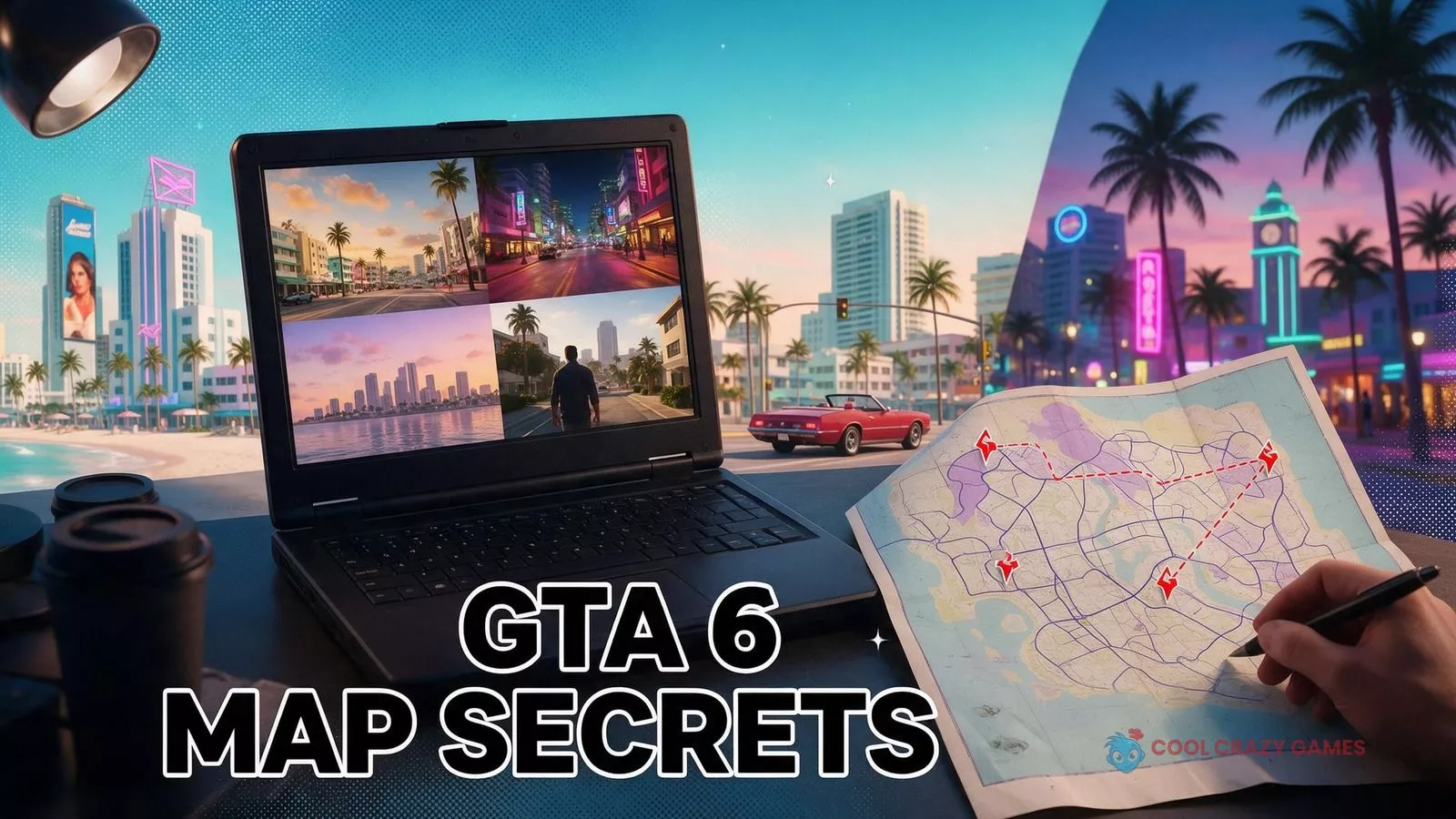
When watching the GTA 6 trailer, your eyes will naturally be drawn to what is happening in the middle of the screen. Rockstar are counting on this and hide half of Leonida in the background.
However, once I started to pause the footage and look beyond Jason and Lucia, it started to make a lot more sense. You don’t need any special software to see these details. Just knowing where to look will help you piece together how the world is laid out.
Read the signs
The highway signs in GTA 6 are some of the biggest giveaways to hidden map details. Rockstar have designed road networks that resemble real life American interstates. Including exit numbers, route signs and arrows.
If you pause the first trailer and look up at the signs during the night drive scenes, you’ll notice there are signs above telling you where you’re going. For example VCI Airport, Catalan Boulevard, Downtown and Vice Beaches. Pay close attention to the arrows below. Arrows pointing downwards mean you’re still on the main highway while angled arrows mean there is an exit coming up.
This helps you immediately know the exact names of the main districts and also shows the order you pass them in.
Looking at the decals
Every time a new street is shown in a trailer, look at the doors and bumpers on the closest emergency vehicles. Rockstar have designed unique police departments, sheriff departments and transit buses for every county and city.
Read also: GTA 6 Physical Map Leak vs. Trailer Footage
Looking at the first trailer during the quick street scenes, you’ll notice there are police cruisers with Port Gellhorn on the side. Other clips will show patrol cars with Vice City or Leonard County on them. Taking a quick glance at the doors of a vehicle will instantly tell you if it’s set in the main city or a smaller town.
Looking at the buildings and radio towers
Community mappers can easily tell how big the GTA 6 world is by looking at the horizon in every shot. Look for any landmarks that are sticking up in the sky.
Vice City has a few unique skyscrapers with unique roofs and neon lighting. Out in the country and Keys there are tall red and white radio towers and smoke stacks.
If you see the same building in the distance during a swamp scene and a bridge scene, you’ll be able to see where they are in relation to the city. The smaller the building appears on the horizon, the further away from downtown Vice City you are.
Looking in mirrors and sunglasses
Rockstar have put a lot of effort into reflections. Often the shiny surfaces will show you parts of the map that aren’t visible.
During a screenshot or frame of a trailer, look at the side and rear view mirrors of the car. Often you’ll see what’s going on in the background of the street. Whether it be shops, overpasses or water. The same can be done with characters wearing sunglasses. A quick reflection can tell you if they’re standing in front of a beach, strip mall or motel.
Matching the colours
By looking at what’s on the ground, you can learn a lot about Leonida’s geography. Rockstar have split their maps into different regions. Each region has unique trees, dirt and water.
Turquoise water and palm trees = You’re in the southern island chain of Leonida Keys and the sandy bars around Vice City.
Saw grass, cypress trees and murky water = You’re in the Grassrivers wetlands (Florida Everglades in the game).
Pine trees, dusty paths and thick brush = You’re in one of the inland counties and country towns.
Look at the weeds on the side of the road and dirt colour. This will tell you what region you’re looking at.
Read billboards, bumper stickers, and storefront windows
The text in the background can tell you a lot of smaller details about the map. Often local businesses will have the name of their town or neighbourhood on their windows or billboards.
Pause during a street scene and look at the strip malls, pawn shops and gas stations. Look for area codes on phone numbers, neighbourhood names on delivery trucks and local references on car bumpers. Even the bins on the pavement may have the city seal on them.
Watch the sun to figure out which way you are facing
If you want to know if a beach is facing east or west, look at the sky. Just like in real life, the sun rises in the east and sets in the west in Rockstar games.
If you see a golden sunset behind a row of buildings with the ocean in front, you know that coastline is facing east. By looking at the sun and length of the shadows on the street, you’ll be able to work out what direction most outdoor shots are facing.
What I look at first in every new frame
When I look at a screenshot or clip from the GTA 6 trailer, I always ignore the characters. I look at the top corners of the screen to see if there are any street signs or buildings in the distance. Then look at the bottom corners to see if there are any road signs or vehicle decals.
Rockstar love rewarding attentive players. Next time you watch the footage, have your finger on pause and look at the background. You’ll be amazed how much of Leonida is already hidden in plain sight.
Frequently asked questions
How can I identify map clues in GTA 6 trailers?
Watch the GTA 6 trailer at maximum quality. You can then use your computer keyboard’s period and comma to move forward and backward one frame at a time. This will eliminate any motion blur and make it easier to read the road signs in the background.
Do the road signs on the highways in GTA 6 direct you to real locations?
Yes. The overhead signs on the highways in recent Rockstar games correlate to the actual road system. If there is a road sign in the trailer referring to an airport, beach or county name you can expect this location to be present on the map.
How can I determine how large the GTA 6 map is?
Look at how small the tallest buildings in Vice City are in the distance from rural areas, swamps and bridges. The more different towns and county police departments you see in the footage the larger the map will be.

Cool Crazy Games
Cool Crazy GamesAn independent gaming site passionate about video games, gaming technology, and the latest industry trends. Covering gaming news, updates, guides, and tips across PC, Android, Xbox, Nintendo, and popular titles like GTA, Counter-Strike, PUBG, and Free Fire. Dedicated to sharing u